DuplicateFileAssistant
Find duplicate files on a system, from a desktop window or a JSON-capable command-line tool. Candidates are verified byte-for-byte before they are offered for deletion, and every deletion goes to a restorable trash rather than disappearing.
The application is built on .NET 10 and Avalonia. Windows and Linux are the tested targets; the build workflow also publishes a macOS arm64 archive.
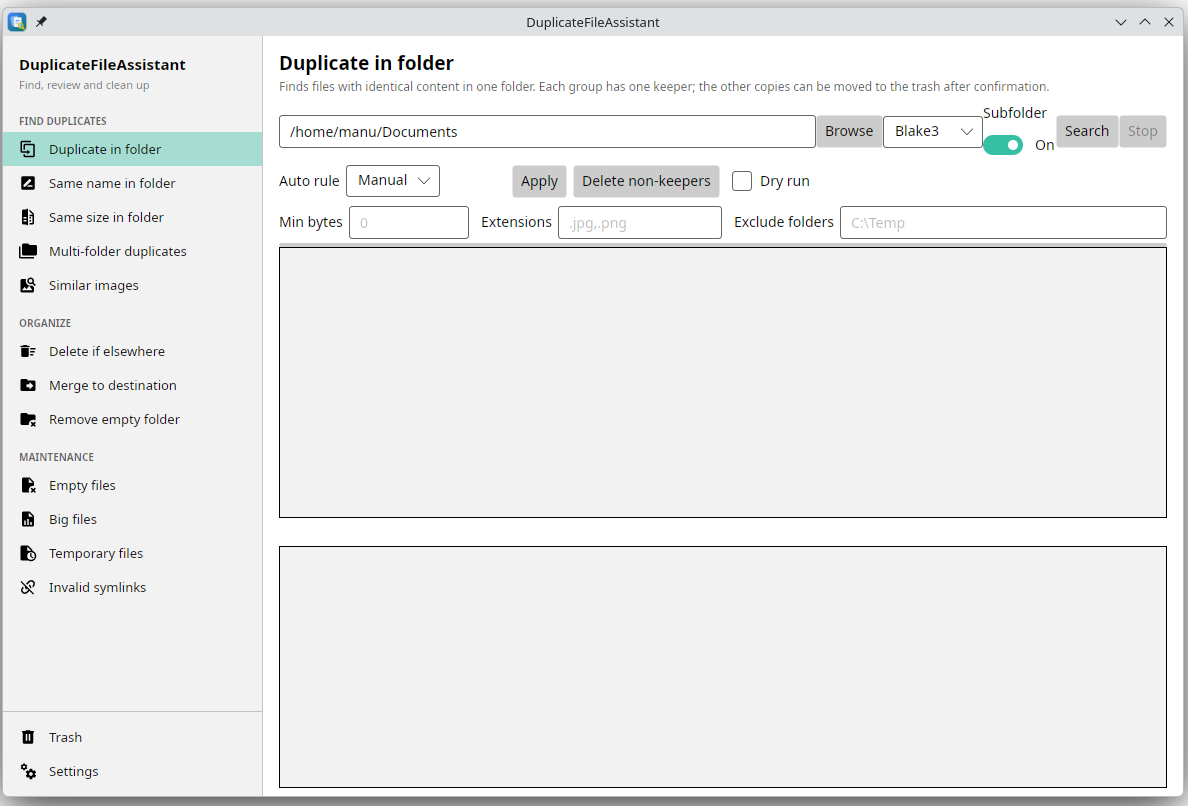
The Duplicate in folder tab after a scan, in an earlier build. The window now carries twelve tabs; see Desktop app for the list.
Run it from a clone
There is no packaged release yet: the .NET workflow publishes self-contained archives for win-x64, linux-x64 and osx-arm64 as workflow artifacts, and downloading an artifact needs a GitHub sign-in. From a clone, the app needs the .NET 10 SDK:
git clone https://github.com/manuc66/DuplicateFileAssistant.git
cd DuplicateFileAssistant
dotnet run --project DuplicateAssistant
The CLI shares the same engine:
dotnet run --project Cli -- duplicates --path ~/Pictures --json
dotnet run --project Cli -- similar-images --path ~/Pictures --json
Destructive CLI commands are dry runs until you add --apply. Details: Getting started.
What it covers
- Duplicate content, the same name, the same size, or duplicates spread over several folders. The desktop app exposes each as its own tab.
- Cleanup tools for empty files, big files, temporary files, broken symbolic links and empty folders.
- Delete if elsewhere and Merge to destination: remove or relocate files that already exist at another place, with a dry run first.
- Near-identical pictures from the CLI: the same photo at another resolution or compression level, optionally with a semantic pass for crops and edits, plus a suggested keeper. See Similar images.
- A restorable trash with a manifest, an audit log, and a Trash tab in the desktop app.
Safety in one paragraph
Duplicate candidates are compared byte-for-byte, not only by hash, before deletion is offered. Destructive operations are confirmed, and the two bulk operations have a dry-run mode. Deleted files go to a restorable trash. By default this is the application folder ~/DuplicateTrash; the Settings tab can switch to the operating system’s trash or another folder. The trash excludes itself from scans, and directory symlinks are not followed. The trash is a safety net against manipulation errors, not a backup.
Limits, stated plainly
- The tool is still under development. Use it at your own risk, and keep an independent backup of irreplaceable files.
- Similar-image detection is available in the desktop app and in the CLI. The CLI command is report-only; the desktop tab moves non-keepers to the trash after confirmation.
- Image decoding covers JPEG, PNG, GIF, BMP, WebP and ICO. HEIC, AVIF and camera RAW are not decoded.
- File enumeration, grouping and reports are rebuilt on every run. Only expensive results (hashes, embeddings, quality scores, downloaded models) are cached.
The README is the short version; these pages go into the detail.